
Can I share TASS Video Library content with students and parents?
There are two primary methods for distributing TASS Video Library content to students and parents: School Links and the Assessment system. Student Cafe supports both; Parent Lounge supports only School Links.
Important!
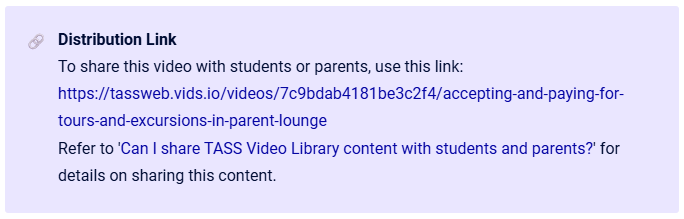
Share only video content that is intended for students or parents. These videos will have a ‘Distribution Link' on the video page.
When sharing TASS Video Library content, always use the ‘Distribution Link’ from the video page. Do not share the TASS Knowledge Base page URL, as it may expose other TASS content and create security risks.
Example
Share videos using School Links
Schools can distribute TASS tutorial videos via School Links in Parent Lounge for parents and in Student Cafe for students.
Access the School Links program by navigating to Staff Kiosk Links > School Links (Maintain).
Create a new School Link, add video URLs copied from the TASS Video Library, and configure their placement in the relevant TASS Portal Product/s.
Schools decide whether videos are embedded or opened in a new window, and whether links appear in Parent Lounge or Student Cafe.
For more information, check out the ▶️ Distribute Tutorial Videos Using School Links Video.
Share videos using the Assessment System
Schools can distribute TASS tutorial videos as Resources to students in Student Cafe using the Assessment system in Staff Kiosk Assessment > Learning Objects (Maintain & Assign)
Create a Resource in the Learning Objects repository by selecting the Subject Area, Year Group, and Topic, then upload a video link (URL) from the TASS Video Library. Then, assign the Resource to students via custom groups.
Students can then access the Resources in Student Cafe through the ‘My Resources’ gadget or the ‘Class Resources’ menu.
For more information, check out the ▶️ Distributing Student Cafe Videos as Resources using Staff Kiosk Assessment Video, and ▶️ Accessing Digital Resources in Student Cafe Video.