Can I create an extra curricular custom roll with an attendance overview for the entire term?
Yes, you can create a custom roll for an extra curricular activity with an overview of attendance for the whole term, semester or other specified period of time.
This may be useful if you want to verify whether a student attended their training sessions for the purpose of awarding certificates or to confirm that they meet scholarship requirements.
Example
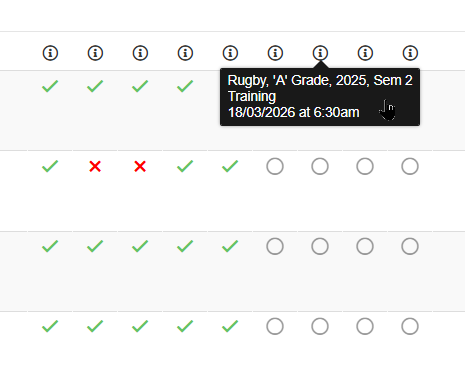
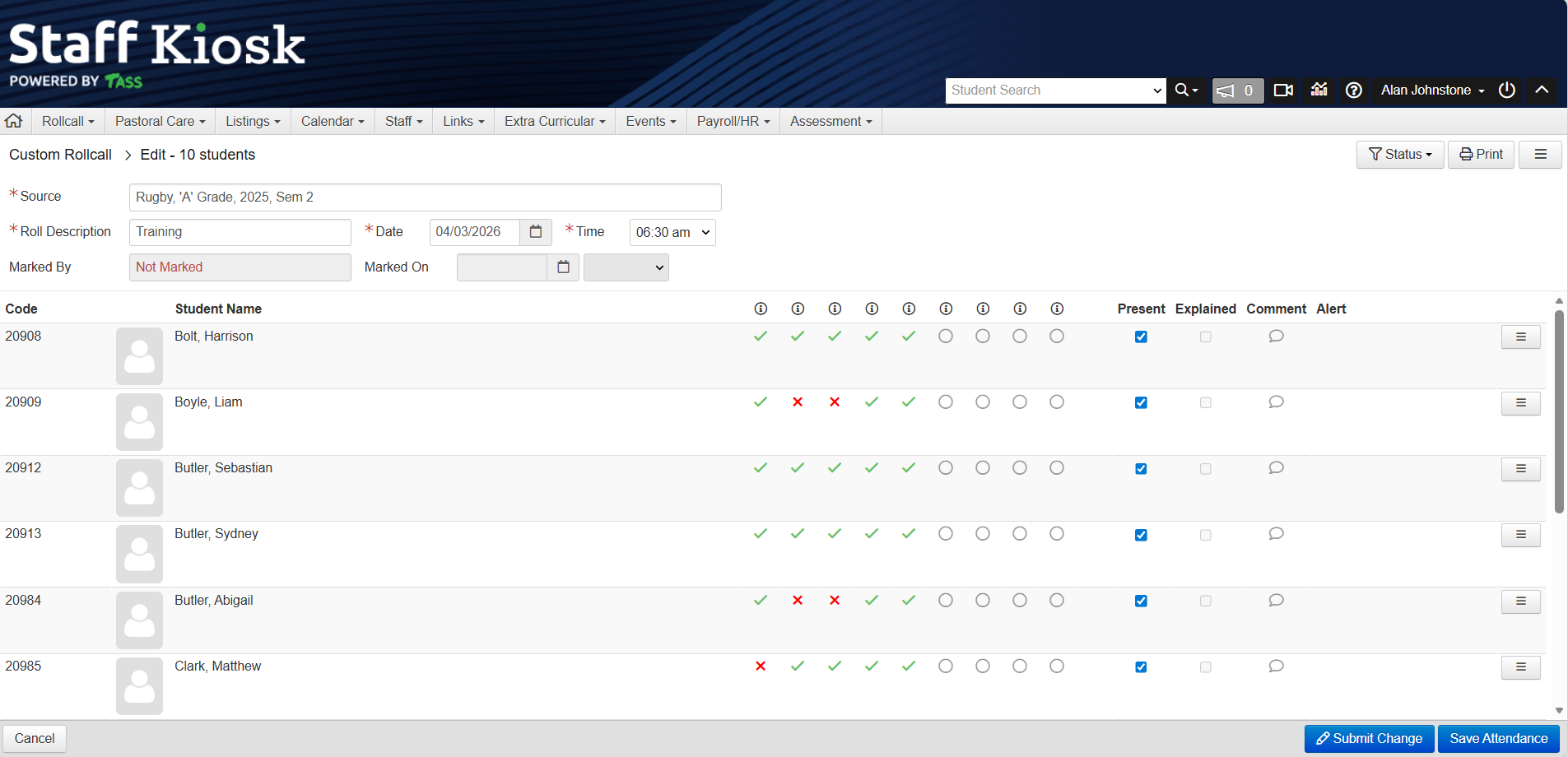
An example of the Extra Curricular Attendance Overview in Staff Kiosk Rollcall > Custom Rolls.
To create this type of Custom Roll:
Go to Staff Kiosk Extra Curricular > Extra Curricular Groups and locate the Extra Curricular group that you want to create the Custom Rolls for.
Then, from the Hamburger Menu, select Sessions.
Create Sessions with a recurring pattern, but do not tick the ‘Create Custom Roll’ checkbox.
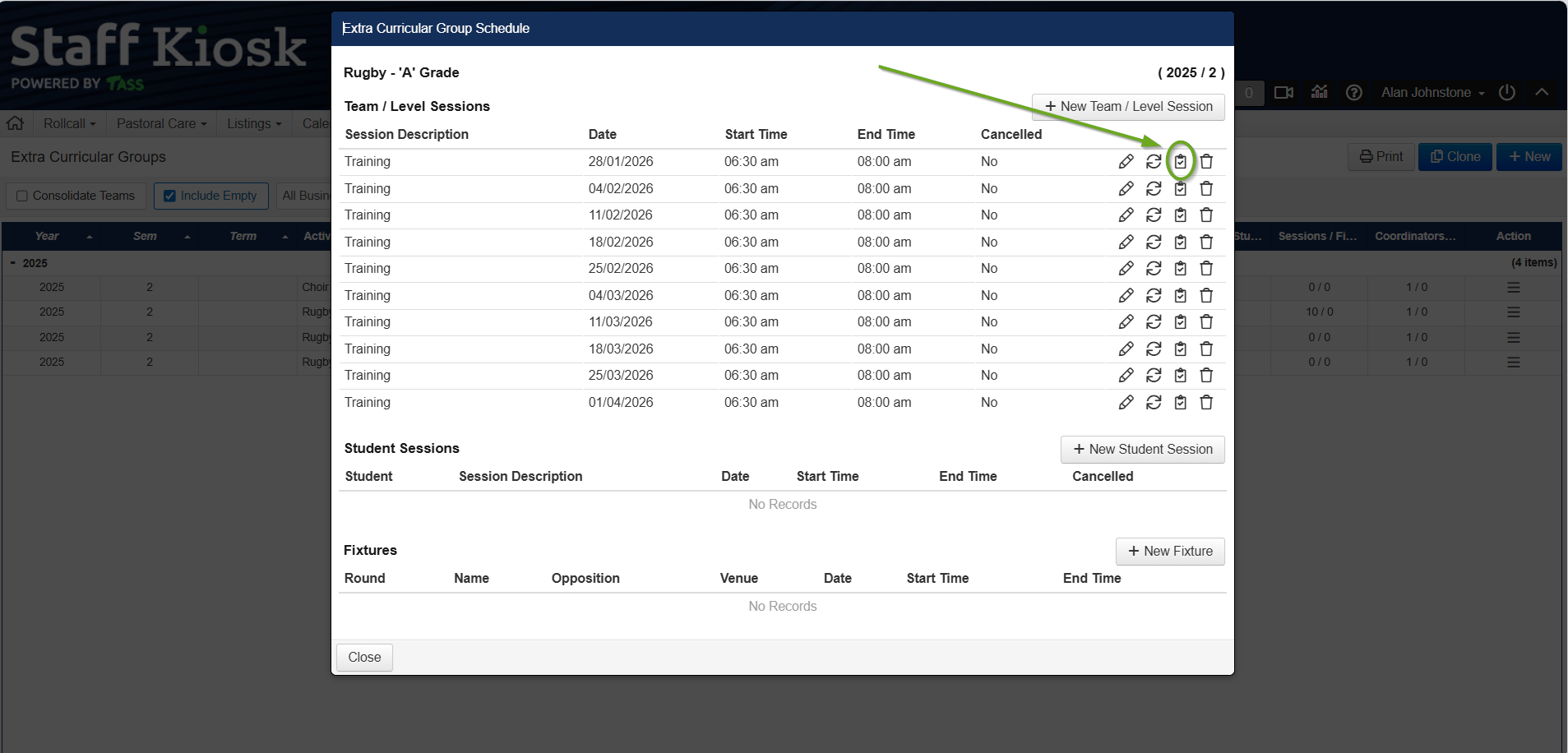
From the ‘Extra Curricular Group Schedule’ screen, click the ‘Rollcall’ icon for the first Session in the list.
Example
Create Custom Rolls with the same recurrence frequency and range as the Sessions you created in Step 3.
Navigate to Staff Kiosk Rollcall > Custom Rolls, and click the Rollcall icon next to your first Session to confirm that the roll has been set up correctly.
Mark the Custom Rolls as normal throughout the term. As each session's attendance is submitted, ticks and crosses will appear in the overview section to represent each student's attendance patterns.

Hover over the ‘info’ icon at the top of each column to see the session attendance date and the time that column represents, e.g.